
SalesOS – B2B CRM SaaS
0 → 1 Product Design for AI-Powered B2B CRM SaaS
Role
0 → 1 Product Designer
Team
Founder/CPO & Engineers
Duration
12 Weeks
Stack
Figma, React, FigJam
Overview
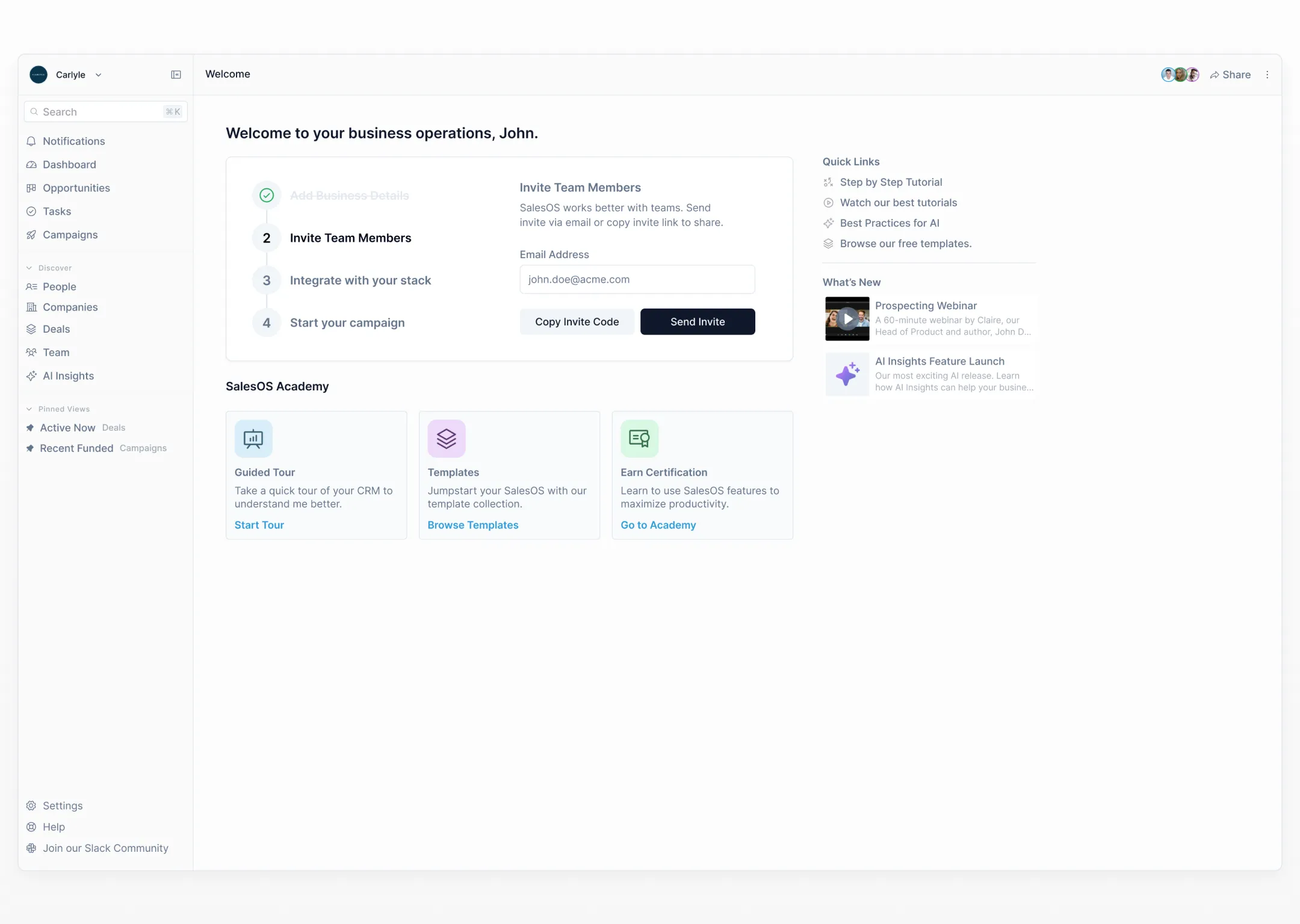
As the only Product Designer with technical founders, I was tasked with creating an MVP Design for a sales engagement CRM with AI-heavy features and identifying use cases where AI and LLMs can be used to build an AI-first product.
Challenge
CRMs today require a lot of patience from users with their learning curve and complex navigation nested across the application.
We worked on this challenge with a guided onboarding with some lean templates that can provide users with an overview of the application.
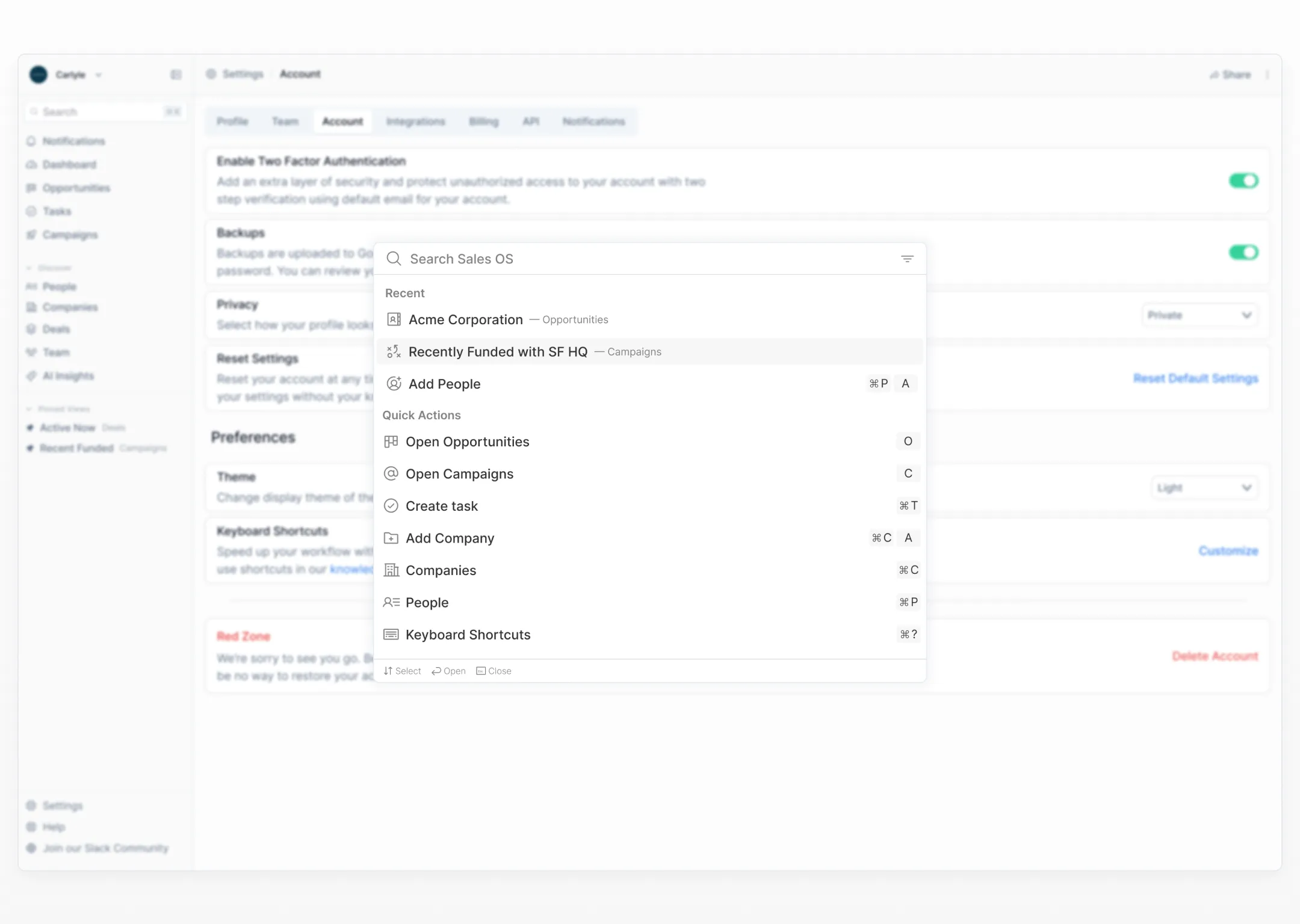
To improve user navigation, we implemented a command search menu with intuitive keyboard shortcuts to improve feature accessibility.
Moving fast & finding opportunities
There are a ton of CRMs in the market. How do we differentiate? We searched for opportunities by digging through G2 & Capterra, gathering and hacking on user frustrations that we could solve with AI for our CRM solution.
Working in an industry with pre-existing solutions is, in my opinion, great for speed. You can see what worked for your competitors (and can work for you) and sometimes, pitfalls to avoid. This helps build a product faster and leaves more time for the features that set us apart.
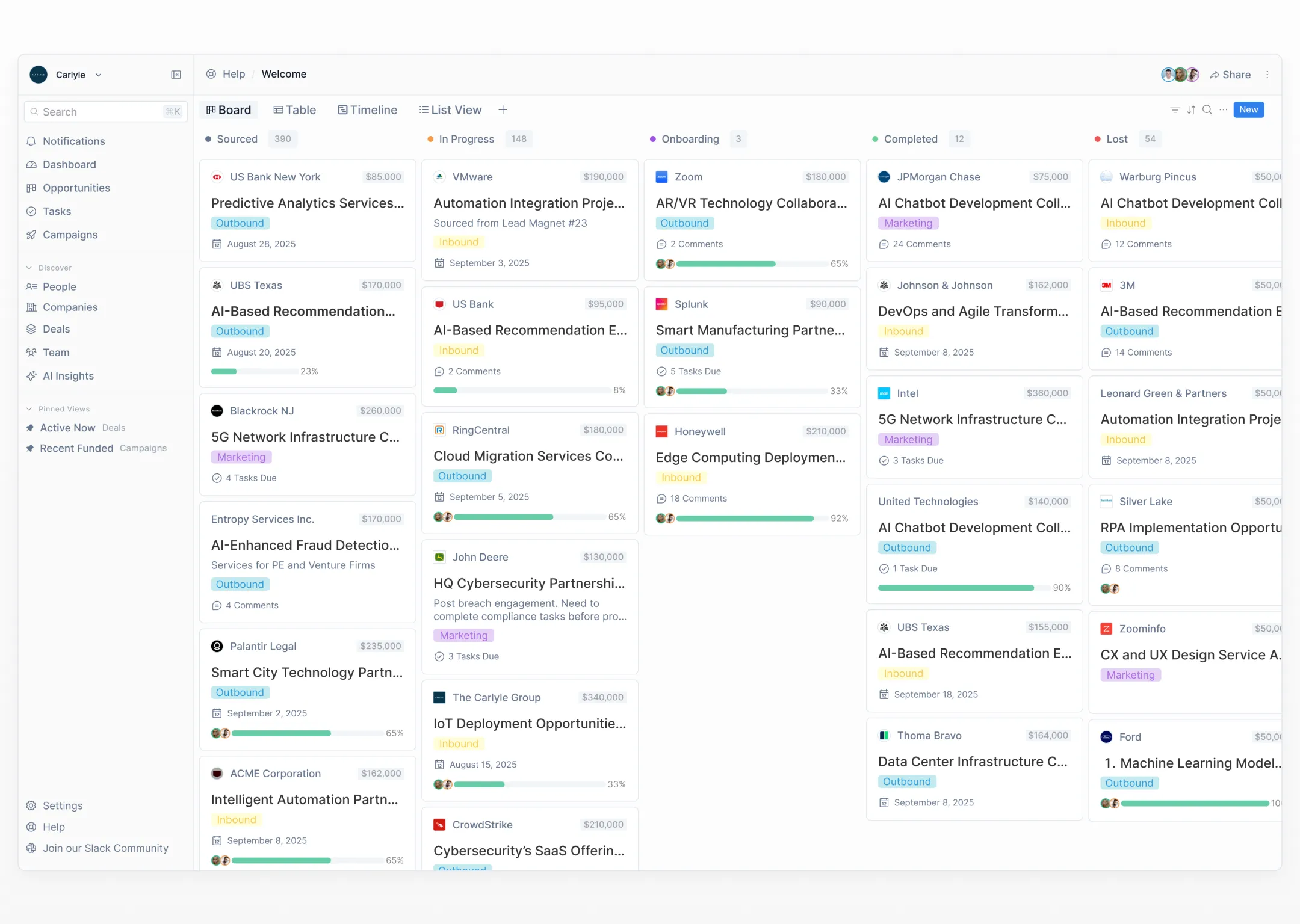
Solution Features
Command Search Menu
A powerful command palette that allows users to quickly navigate to any feature, search contacts, and execute actions without leaving the keyboard.
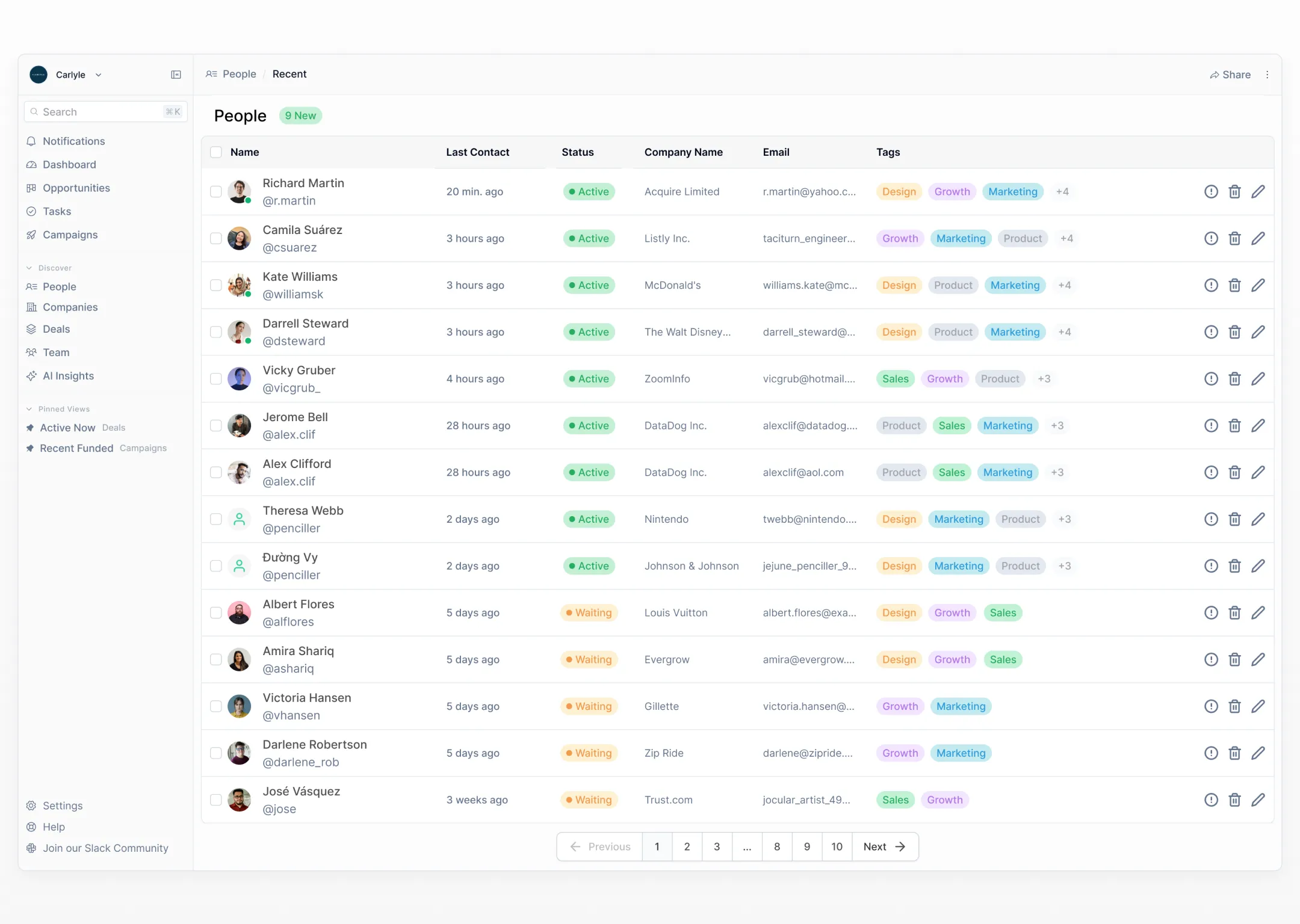
Data Table
Intuitive table view for managing contacts and deals with inline editing, filtering, and sorting capabilities.
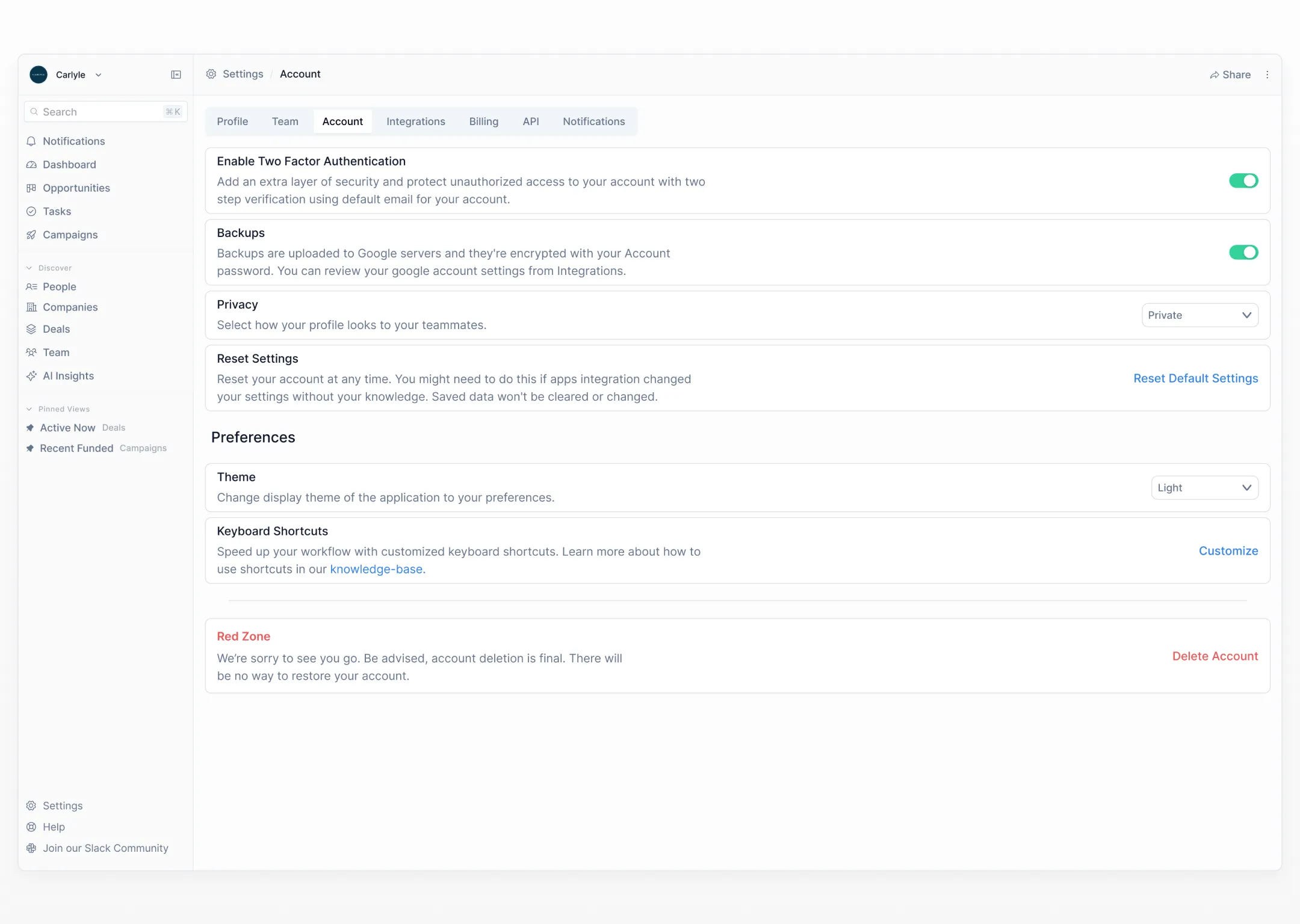
Account Settings
Comprehensive settings panel for managing team, integrations, and workflow configurations.
Results
We were able to put together an MVP in 12 weeks and have a working prototype that could be presented to investors and early users for feedback and testing.
The design focused on reducing the learning curve through AI-assisted onboarding and providing quick access to all features through the command search menu.